An Apple Notes alternative that also works on Windows
OttaNote is an Apple Notes alternative that works in any browser, keeps old versions and handles diagrams, formulas and your own AI assistant.
Apple Notes comes on every iPhone and Mac, and it's perfectly fine for quick notes. It gets trickier when you also use a Windows PC, a Linux laptop or an Android phone, or when you keep notes together with someone who doesn't have an iPhone. If that's why you're looking for an Apple Notes alternative, here are the differences with OttaNote, the note-taking app I'm building.
What Apple Notes does well
In Apple Notes you can add headings, collapse sections and put tables, checklists and attachments in a note. You organise with folders and tags, link notes to each other and lock a note. You can share notes and folders with other Apple users. Since iOS 26 you can also export a note as Markdown. On these points the two apps differ very little.
An Apple Notes alternative
Apple Notes has no app for Windows, Linux or Android. On those devices, the only way to get to your notes is through the iCloud website. And what you'll find there is a heavily simplified editor for jotting down a few quick thoughts.
OttaNote works in the browser, on any device, whether it's an Apple, Windows, Linux or Android device. You open app.ottanote.com, log in and see the same folders and notes everywhere. For Windows there's also an app in the Microsoft Store. It works without an internet connection too, and it's included in the free account. The Mac app has also been ready for you since yesterday.
The fact that OttaNote works in any browser also comes in handy when sharing notes. You share a note or a folder by email with another OttaNote user, either to read or to edit. You can both work in it at the same time, and it doesn't matter what device the other person has. Think of the shopping list you keep with your partner, who has an Android phone. Or project notes you start on your iPhone and finish on your Windows PC at work.
Restoring an earlier version
OttaNote keeps the versions of every note from the past 30 days, or a year with Plus. Say you accidentally delete half of a list and only notice the next day. In the version history you look at yesterday's version and choose Restore.
Your own AI assistant with your notes
OttaNote doesn't cram AI into your notes itself. You can, however, connect an AI assistant of your own, such as Claude. This works through MCP: a connection that lets an AI assistant of your choice access your notes. You decide which folders it may read. If you turn on writing, it creates and edits notes in a separate AI workspace.
For example, you might ask: "List the action points from this week's meeting notes." Apple Notes has Apple's own writing tools, but no connection to an assistant of your choice. The connection in OttaNote is part of Plus.
Diagrams and formulas
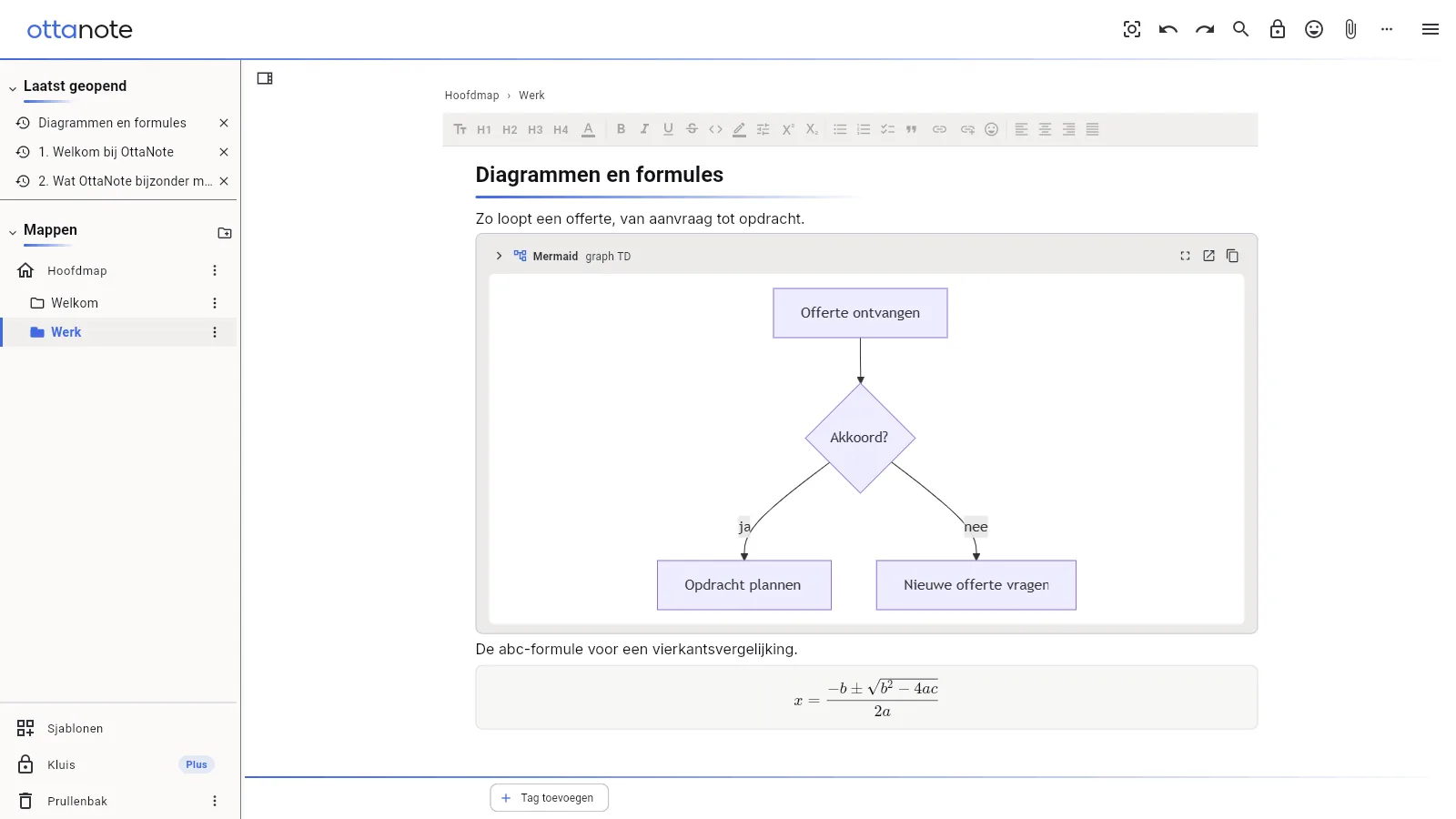
Sometimes your notes need a diagram or a calculation. In OttaNote you type / and choose Diagram (Mermaid). Mermaid is a way of writing a diagram as text: in a few lines you set out the steps and how they follow on from each other, and OttaNote draws it. You can download the diagram as an SVG, for a presentation, for example.
You add a formula the same way: type / and choose Formula. You write it in LaTeX, the way mathematicians type formulas, and OttaNote displays it formatted. It stays editable.
Here's what that looks like: a note with a very simple flowchart for a quote, from request to order, and below it the quadratic formula.
Diagrams and formulas are included in the free account.
The differences at a glance
| Apple Notes | OttaNote | |
|---|---|---|
| On Windows, Linux and Android | only through the simplified editor on iCloud.com | in the browser on any device, plus a Windows app |
| Sharing | with other Apple users | with other OttaNote users, on any device |
| Connect your own AI assistant | no, but Apple's writing tools | yes, with Plus |
| Diagrams (Mermaid) | no | yes |
| Formulas (LaTeX) | no | yes |
Start for free
You start for free, with 50 notes and no credit card. The web version, the Windows app and the Mac app, complete with diagrams and formulas, are all included. For a year of version history and the AI connection you'll need Plus. You can try Plus free for 7 days first, without paying.
You'll find everything else OttaNote can do on What it does. What's included in Plus is explained under Plus and pricing.